Weather — User guide
Storms, solar eclipses, and smoke (HMS + CAMS plumes, FIRMS megafires) on the globe. Globe gestures still work; only one extension is on at a time.
Storms, eclipses, and smoke plumes stay clickable on the globe even when Weather is off or another extension (Presence, Skypics) is active. Picking one selects that event and zooms without turning Weather on — no filter, chips, or strip. The selection still draws on the globe and timeline. Wildfires only appear while Weather is on.
Turn it on from the corner icon (Weather is selected by default, off until you tap it) or Menu → Extensions → Weather. The corner icon (and E) cycles panels + overlay → overlay only → off. Double-click the icon to hide it. Help adds Weather gestures while it is on.
Contents
- Turn it on
- What’s on screen
- Globe pick (storms, eclipses & smoke)
- Gestures
- Storms
- Eclipses
- Smoke
- Selected event
- Share
- Tips
Turn it on
- Open the menu (corner button).
- Extensions → Weather.
- Wait for Loading events… to finish. Filters and the event strip appear if Extended UI is on (Settings, or the corner cycle).
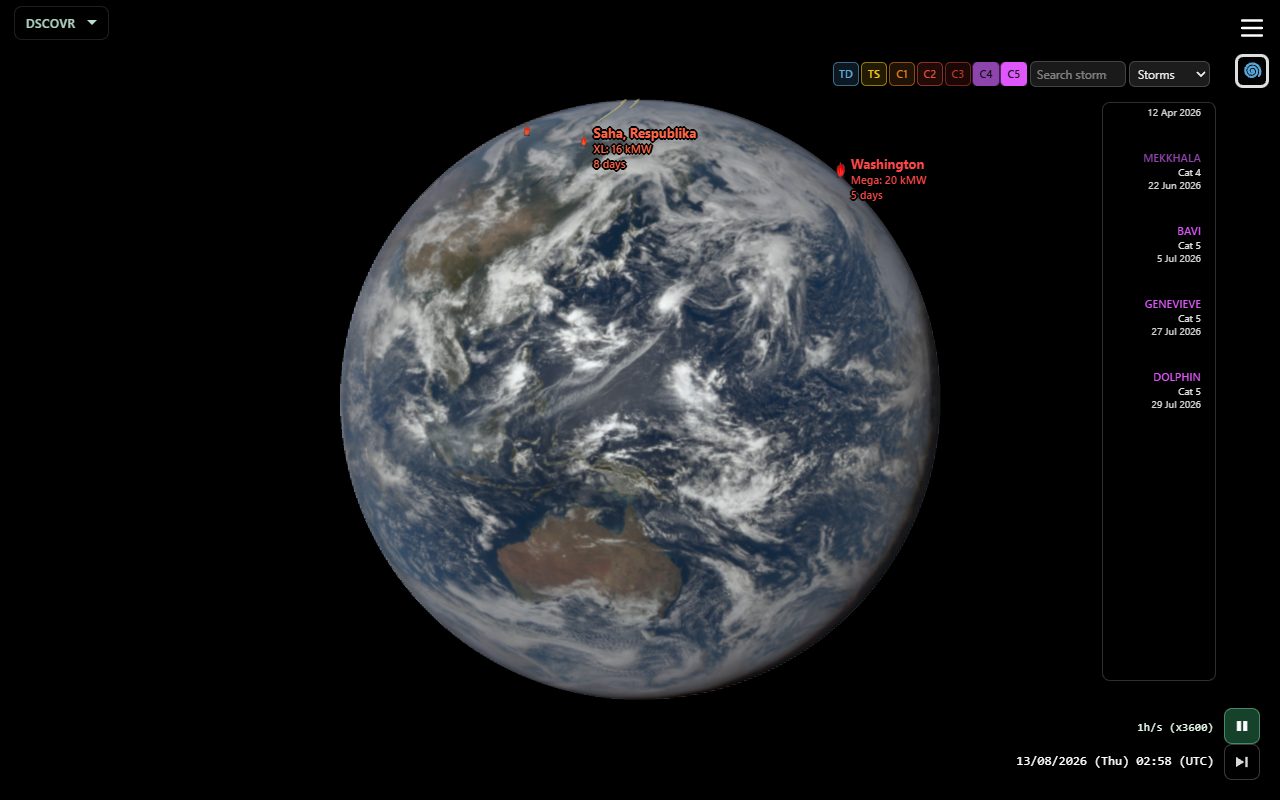
Shared links can turn Extended UI off so you land on the globe. Use E or Settings → Extended UI to bring the strip back. Globe overlays stay either way.
What’s on screen
| Area | What it does |
|---|---|
| Globe overlay | While Weather is on, active storms / eclipses / smoke / wildfires whose chips are on draw on the globe. The same chips filter the timeline, so globe and timeline always match. While an event is selected, all other events are hidden the same way. Events whose chip is off are hidden but still pickable: hover shows a short label, click selects (same as with Weather off). The selected event always draws. |
| Filter bar | Shown only while Weather is on and no event is selected — selecting an event (strip, timeline, globe) hides it with the strip; unselect to bring it back. Sits beside the extension toggle. Top row: category, search, None / All. Chip row underneath, aligned to the menu edge; swipe horizontally when chips overflow (portrait). |
| Category dropdown | Storms / Eclipses / Smoke. |
| Search | Filter events by name and show matching cards. Click a card to select it and jump to that storm’s peak (or the eclipse). Typing search temporarily disables intensity chips. Clearing search hides the cards. |
| None / All | Clear every chip, or turn them all on — for all categories at once (globe + timeline). Hidden events stay hover/click pickable. |
| Intensity chips | Limit which events appear on the globe and the timeline. All chips are on each time Weather is turned on. Toggling chips does not unselect the current event. |
| Weather databases | Settings (while Weather is on): toggle IBTrACS, EWS, ETC ERA5, NASA eclipses, HMS, CAMS, and FIRMS independently so you can see what each catalog contributes on the globe, timeline, and strip. |
| Back / Forth | Exterior end of the top row opposite the hamburger (←/→ → view menu → selection) while any selection is in the session trail. Back steps prior picks (storms, eclipses, smoke, wildfires, cadence, sky photos) or returns to unselected, and restores the playback speed from before this event. Android Back and desktop Escape match Back. |
| Analemma | Opposite the date while paused, or when a multi-day weather card is selected. Tints like the event name when a weather event is selected. Eclipses play at ~1 min/s instead of Analemma day-jumps. |
Globe pick (storms, eclipses & smoke)
You do not need Weather on to open a storm, eclipse, or smoke plume from the globe. Wildfires are pickable only while Weather is on.
| Situation | What you see | What a click does |
|---|---|---|
| Weather off (any other extension or none) | Invisible pick targets on active storms/eclipses/smoke; desktop hover or first mobile tap shows a short label. No wildfire markers. Weather stays off — no filter/chips/strip. | Desktop: one click selects and zooms. Mobile: second tap on the same target selects and zooms. Selection paints on the globe + timeline companion |
| Weather on | Full overlays for enabled catalogs (Settings → Weather databases). Intensity chips filter the globe. Wildfire flames + pick targets; labels only on hover or when selected. | Desktop: one click selects. Mobile: two taps on another target |
| Weather on, some chips off | Chip-off events are hidden on globe, timeline and strip, but stay invisible pick targets on the globe (hover label, click selects) | Same as Weather off |
Leaving a selection: Latest, Back (when it is enabled), zoom out, or tap the event name at the opposite bottom corner unselects the event. The active exclusive extension (Presence / Skypics / none) is unchanged by a Weather-off globe pick.
Gestures
| Control | Action |
|---|---|
| Click storm / eclipse / smoke on globe | Desktop: select in one click. Mobile: first tap shows the label; second tap on the same target selects and zooms. Tap elsewhere on the globe to dismiss the label. |
| Click wildfire (Weather on) | Same as above; flame stays visible, name label appears on hover or once selected. |
| Hover (desktop) | Short label on pickable events when the cursor is over a pick target. |
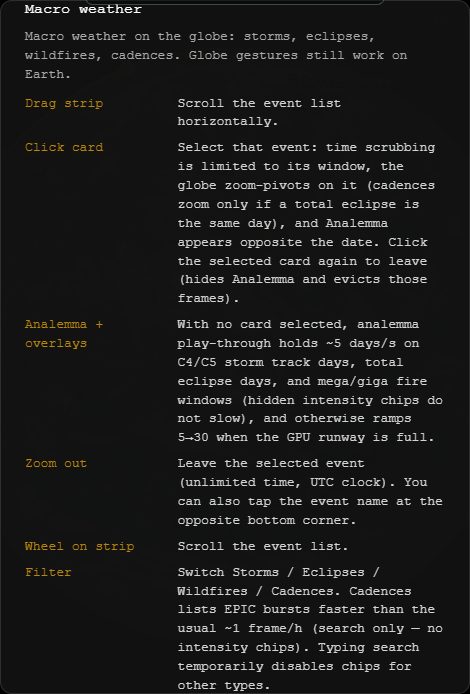
| Drag strip | Scroll the event list horizontally. |
| Wheel on strip | Same — scroll the list. |
| Click a card | Select that event: jump to its peak (storm) or greatest eclipse, zoom-pivot on it, limit time scrubbing to its window, keep the clock in UTC, show Analemma when the event has track days. Click the same card again to leave. |
| Wikipedia | A selected named storm, solar eclipse, smoke plume, or wildfire may show a short Wikipedia summary under the globe name (year+place season pages for smoke/fire). Wikipedia opens the article. Unnamed storms and vague regions have no fiche. When a matching clip exists, a YouTube thumbnail appears under the summary (nature’s-might / surface first, else a TV weather forecast); tap to play. |
| Back / Forth | Step the session selection trail (including eclipses and wildfires). |
| Turn off | Overlay and strip go away (wildfires hide too). The globe stays at the same zoom pivot; the event is unselected so time is unlimited again. |
| Zoom out | Leave the selected event (unlimited time, UTC clock). Also exits a globe-pick session when Back would return to another extension. Tap the event name at the opposite bottom corner for the same effect. |
| Analemma (no card) | Day-jump play at ≥1 d/s switches to Storms. Holds ~10 days/s on visible C4+ tracks when those chips are on, or ~5 days/s on eclipse days. Other overlays hide. Fires do not slow play. |
| Analemma (card selected) | Plays that event’s days at ~10 days/s once frames are GPU-ready. |
Storms
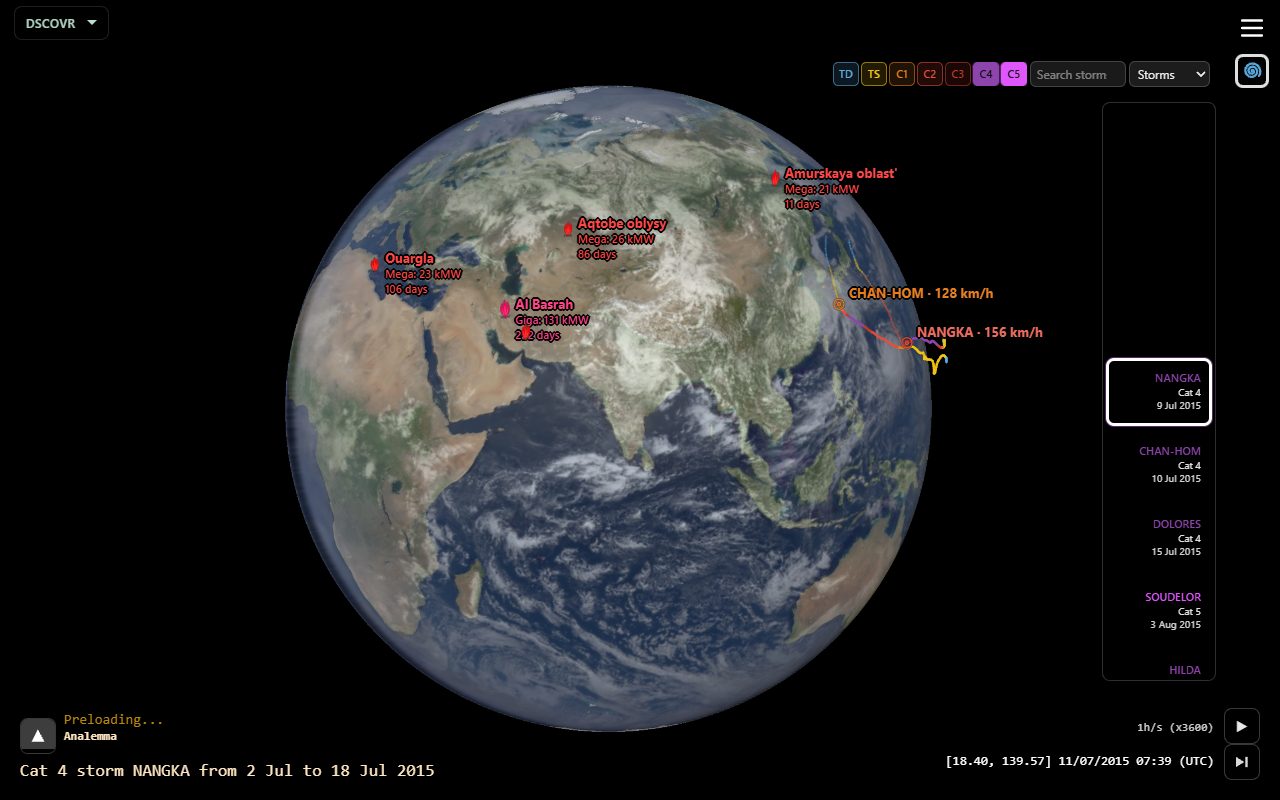
IBTrACS tropical cyclones (merged with NHC ATCF tips for recent days in live builds), European extratropical windstorms (Copernicus EWS Hodges tracks when fetched; curated EUMETNET-named bootstrap otherwise), and ERA5 extra-tropical cyclones (ETC) for North American nor'easters and bomb cyclones — tracks that already exist in IBTrACS are dropped. All chips start on when Weather is turned on.
| Chip | Meaning |
|---|---|
| ET | Extratropical cyclone (European EWS or ERA5 ETC / nor'easter) |
| C5 … C1 | Saffir–Simpson hurricane categories (C5 strongest). |
| TS | Tropical storm |
| TD | Tropical depression |
While Weather is on, active storm tracks whose chips are on draw on the globe; the same chips filter the timeline and strip. Selecting a storm (globe, strip, or timeline) scopes that event on the timeline. A Wikipedia summary sits under the storm name on the globe (named storms only), with an optional YouTube clip underneath. When a zoomed storm starts playing, the globe places the summary outside the track's extent and, if the screen is too small for both, slides the globe aside (within the screen, eased in over the first moments of play), then holds that layout for the whole play. The path goes on the side it heads toward and the summary on the other: in portrait, a storm heading up keeps its path on top and the summary below; in landscape, a storm heading left keeps its path on the left and the summary on the right — mostly on phones, where the summary is pinned to the screen edge. Long-press + drag still pans the zoomed globe by hand. On a narrow phone, swipe the chip row from the menu edge to reach every intensity.
Eclipses
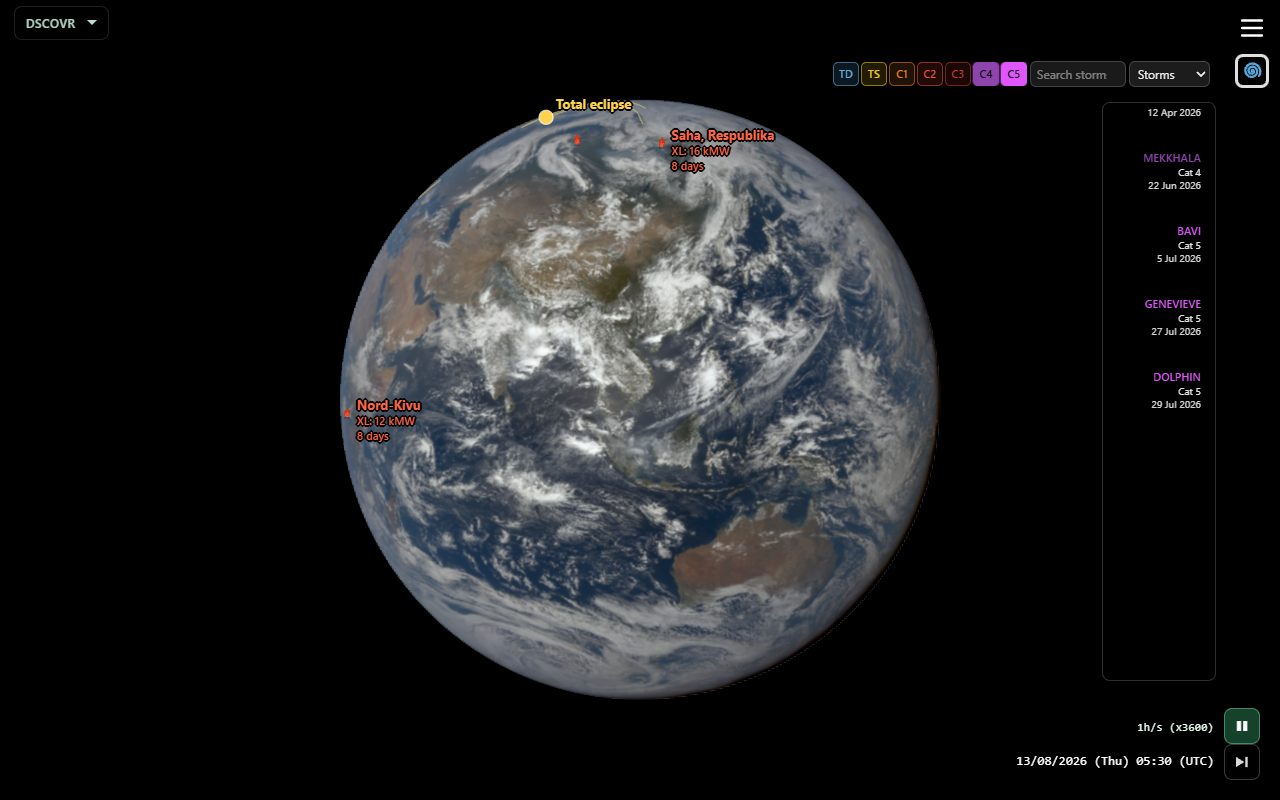
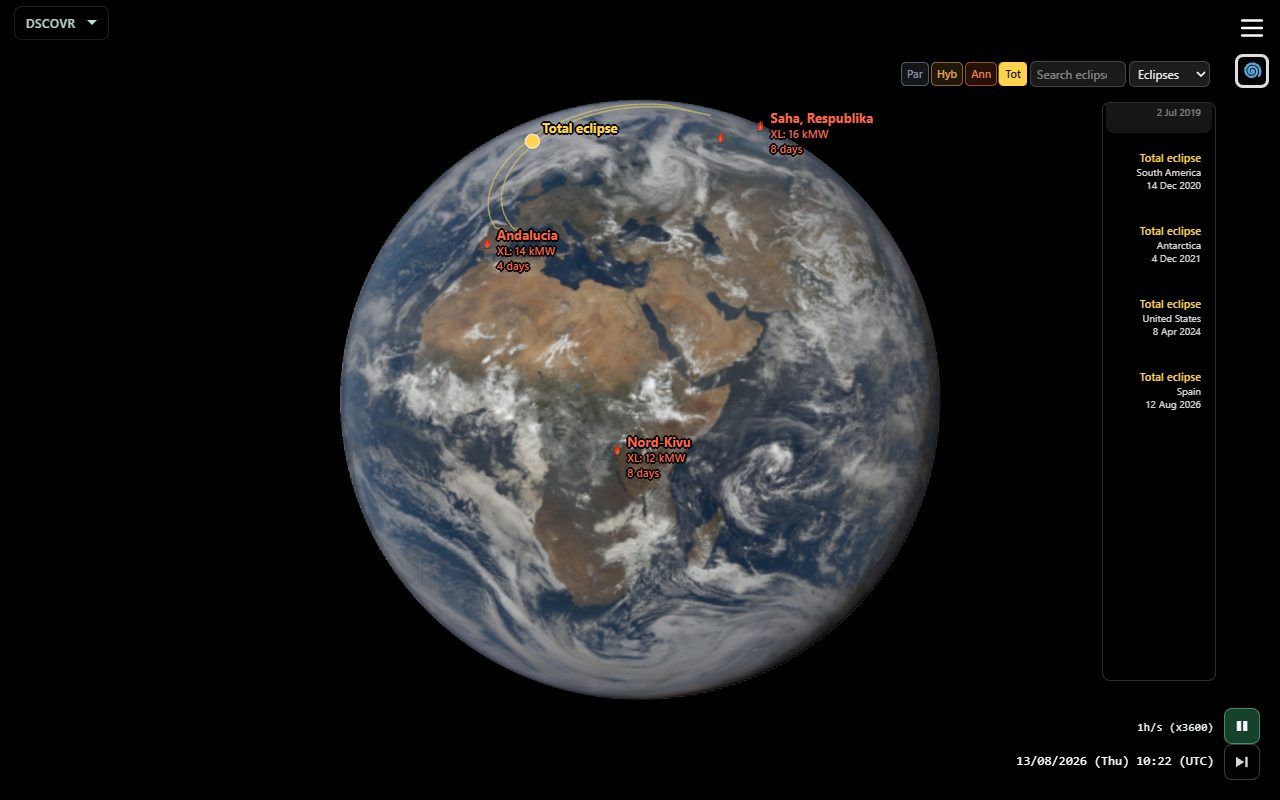
NASA solar eclipse paths and umbra. All chips start on when Weather is turned on. Globe pick and hover work like storms. Selections join the same Back / Forth trail as other weather events.
| Chip | Meaning |
|---|---|
| Tot | Total |
| Ann | Annular |
| Hyb | Hybrid |
| Par | Partial |
Selecting an eclipse plays through the path at ~1 min/s (not Analemma day-jumps). A Wikipedia summary sits under the eclipse name on the globe, with an optional YouTube clip underneath.
Smoke
Smoke plumes and megafires share the Smoke category.
Smoke plumes (strip + globe hulls) — regional+ size so they stay readable on EPIC:
- NOAA HMS (Heavy only) — North America analyst polygons
- CAMS — worldwide organic-matter AOD contours (NRT forecasts, 2015→present; denser EPIC-era backfill via Actions)
Wildfires (FIRMS mega/giga) — while Weather is on, flames and pick targets draw on the globe; names appear on hover or when selected. Fire-size chips filter them on the globe, strip cards and timeline brackets alike; a fire whose chip is off stays hover/click pickable. Weather off hides wildfires entirely (storms/eclipses/smoke plumes stay pickable).
Selecting a smoke plume draws that day’s hull and lights up FIRMS spots that fall inside the polygon. A selected plume or megafire may show the year+place wildfire Wikipedia page under the globe name; many events still have no article.
| Chip | Meaning |
|---|---|
| Heavy smoke | Filters strip cards and timeline for smoke plumes |
| Giga fire / Mega fire | Filters wildfire strip cards and timeline brackets (flames still draw while Weather is on) |
Light and medium HMS smoke are omitted. Use None / All to clear or enable every chip of every category at once.
Selected event
With a card selected:
- Time scrubbing stays inside the event window.
- Analemma plays multi-day events (clock stays UTC). Eclipses play continuously at ~1 min/s.
- Zoom-pivot follows the event (storm / smoke / eclipse / wildfire location).
- Named storms, solar eclipses, and (when a year+place season article exists) smoke plumes and wildfires show a Wikipedia summary under the globe name, and may show one YouTube clip underneath (surface footage preferred, else forecast, else none).
- Click another storm, eclipse, smoke plume, or wildfire on the globe to switch without leaving Weather.
- Click the card again, Latest, Back, zoom out, or tap the event name to unselect — Analemma hides and those preloaded frames are evicted. A globe pick while Weather was off never enabled Weather, so unselect only clears the selection.
Share
Share while Weather is on includes the extension and, if a card is selected, that event. Recipients open the same moment (and selection). Shared links turn Extended UI and view info off.
Tips
- Chips start all on, so weather brackets replace EPIC marks on the timeline; press None to get EPIC marks back (a globe-picked event stays scoped).
- While Weather is on, globe overlays show every category, each filtered by its own chips; the strip shows one category at a time.
- Open Help with Weather on for the live gesture list.