Presence — User guide
Send an emoji arc from one place on Earth to another. Location is optional. You see people who are online now (plus your own sends).
Turn it on from Menu → Extensions → Presence (menu label Presence; URL ?extension=love). The heart under the menu (and E) cycles panels + overlay → overlay only → off. Double-click the heart to hide it.
Contents
Turn it on
- Open the menu.
- Extensions → Presence (Presence).
- The browser may ask for location — you can Allow or skip it.
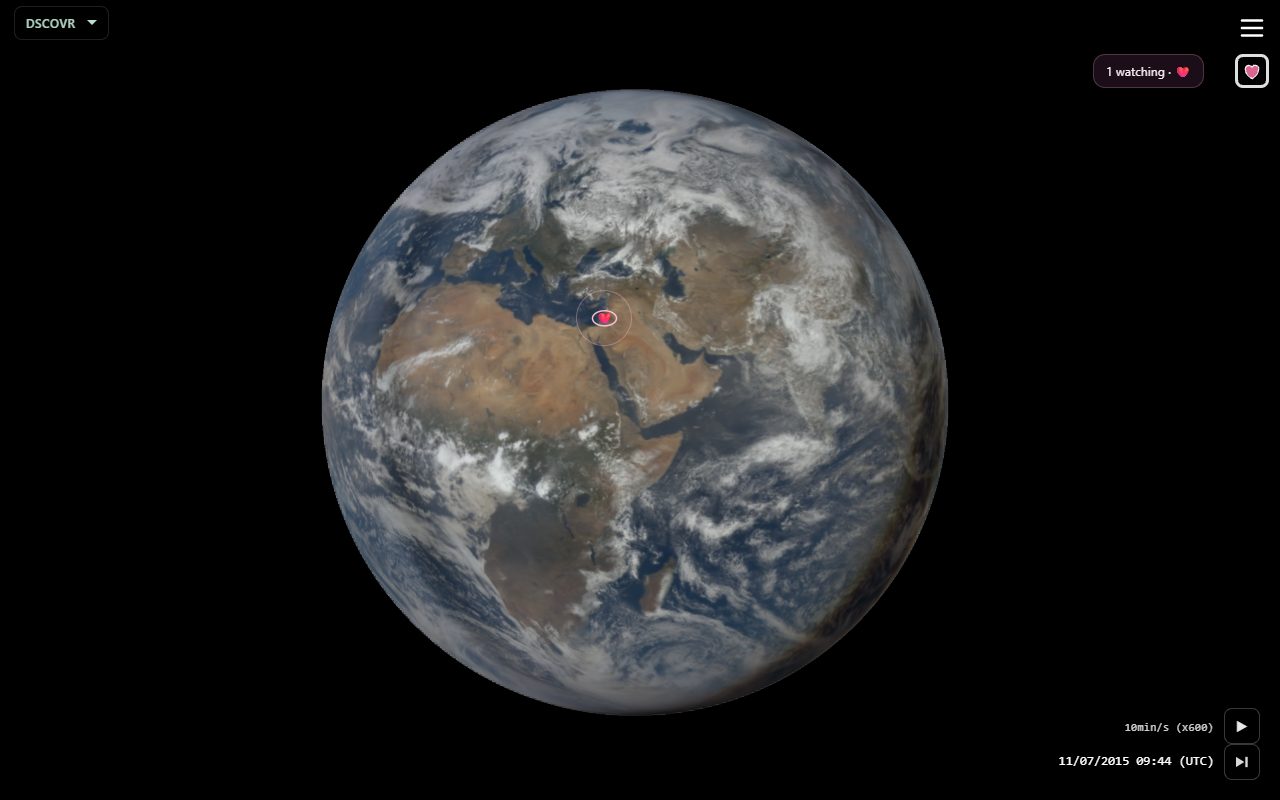
- A watching HUD appears near the menu. Your heart sits under the hamburger.
What’s on screen
| Area | What it does |
|---|---|
| Heart | Under the menu. Tap to cycle the extension; double-click to hide it. Without GPS, tap the corner eye for emoji / send. |
| Watching HUD | How many people are here now, plus their emojis. After a landing it can show {origin} sent {emoji} to {destination}. |
| Eye on Earth | With GPS: you at your location. Send emoji as the iris. |
| Corner eye | Without GPS: launcher under the Presence toggle. Drag into the globe to send. |
| Allow location | Crosshair control — tap to place your eye on Earth later. |
Gestures
| Control | Action |
|---|---|
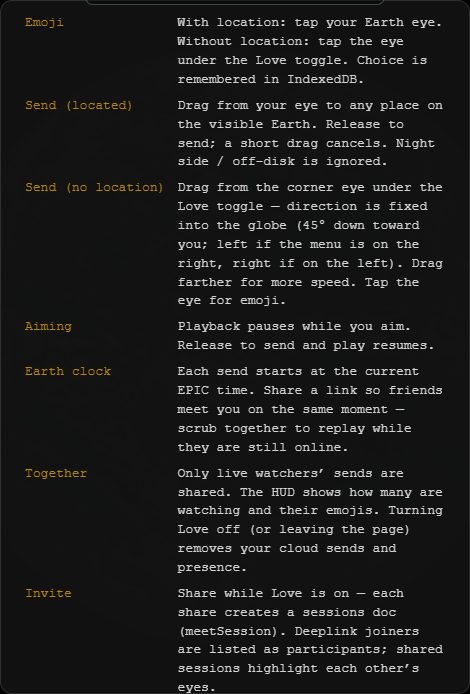
| Emoji | With GPS: tap your Earth eye. Without: tap the eye under the Presence toggle. Choice is remembered. |
| Send (located) | Drag from your eye to a visible point on Earth. Release to send. A short drag cancels. Night side / off-disk is ignored. |
| Send (no location) | Drag from the corner eye toward the globe (45° down toward you). Drag farther for more speed. Miss-Earth aims can become orbits through the eye. |
| Aiming | Playback pauses while you aim. Release to send; play resumes. While Presence is on, speed is 10 min/s and snapping to EPIC frames is off. |
| Invite | Share while Presence is on — friends who open the link join a meet session; you highlight each other’s eyes. |
| Turn off | Heart under the menu, or E. Leaving Presence (or the page) clears your presence and cloud sends. |
Globe gestures (speed, GEO, day jump) still work when you are not aiming.
Earth clock
Each send is tied to the current EPIC time. Share a link so friends meet you on the same moment — scrub together to replay while they are still online.
| Phase | What you see |
|---|---|
| Before send time | Hidden |
| In flight | Dotted path + moving emoji |
| After landing | About 1 EPIC hour of soft pulse; path fades |
| Then | About 1 EPIC hour shrinking away |
| After arrival + 2 h | Gone |
Sends are live only. You do not see a history of people who already left.
Settings
While Presence is on, Settings adds:
| Action | What it does |
|---|---|
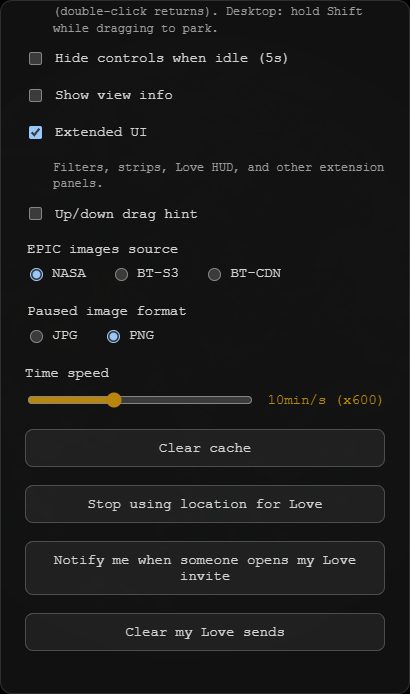
| Allow location for Presence / Stop using location | Place or remove your eye without using the globe control. |
| Notify when someone opens your invite | OS notification when a friend comes online from your share (PWA / HTTPS). |
| Clear my Presence sends | Delete your live send docs now (same as leaving early). Emoji picks stay on this device. |
Share
Share includes extension=love and a meet session. Joiners are listed as participants. Shared links turn Extended UI and view info off — tap E if you want the HUD and corner eye back; overlay sends still play on the globe.
Tips
- Default ❤️ sorts last in the watching strip until you pick an emoji.
- Open Help with Presence on for the live gesture list.