EPIC Projector.Earth — User guide
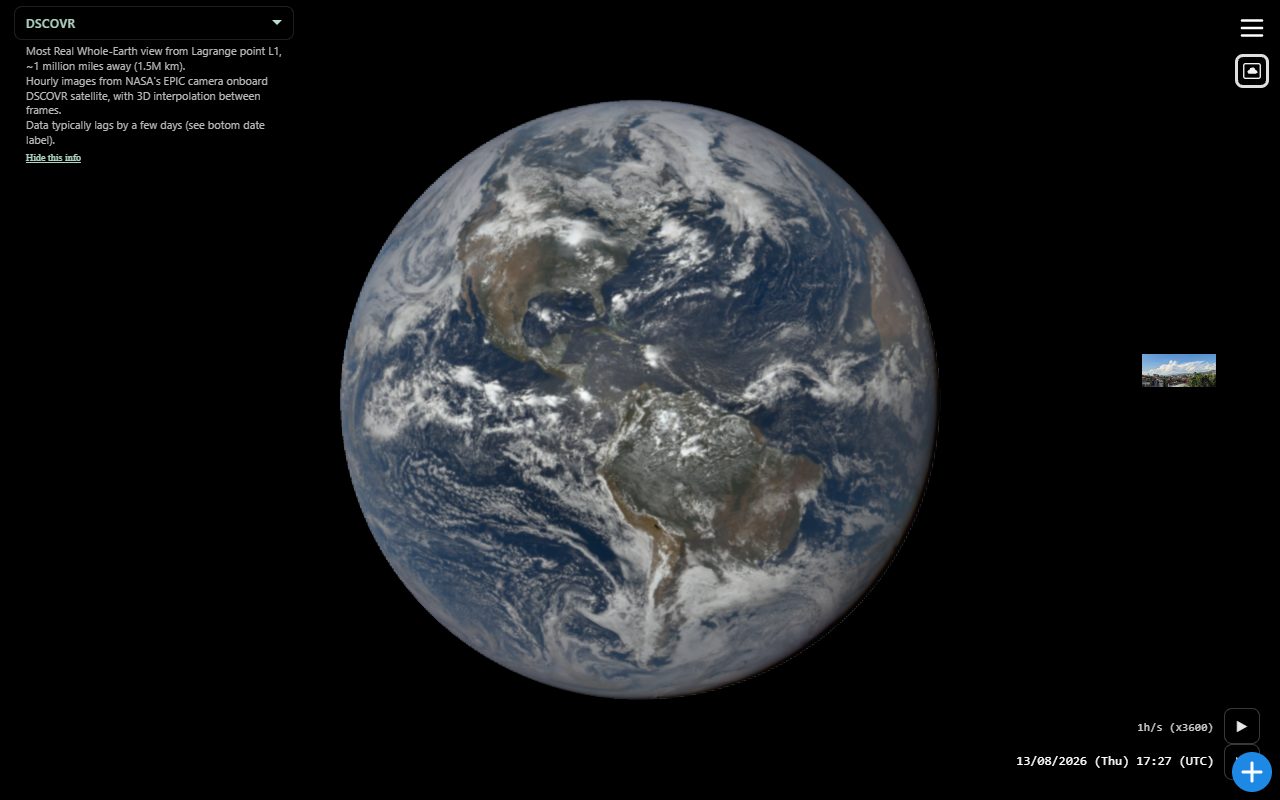
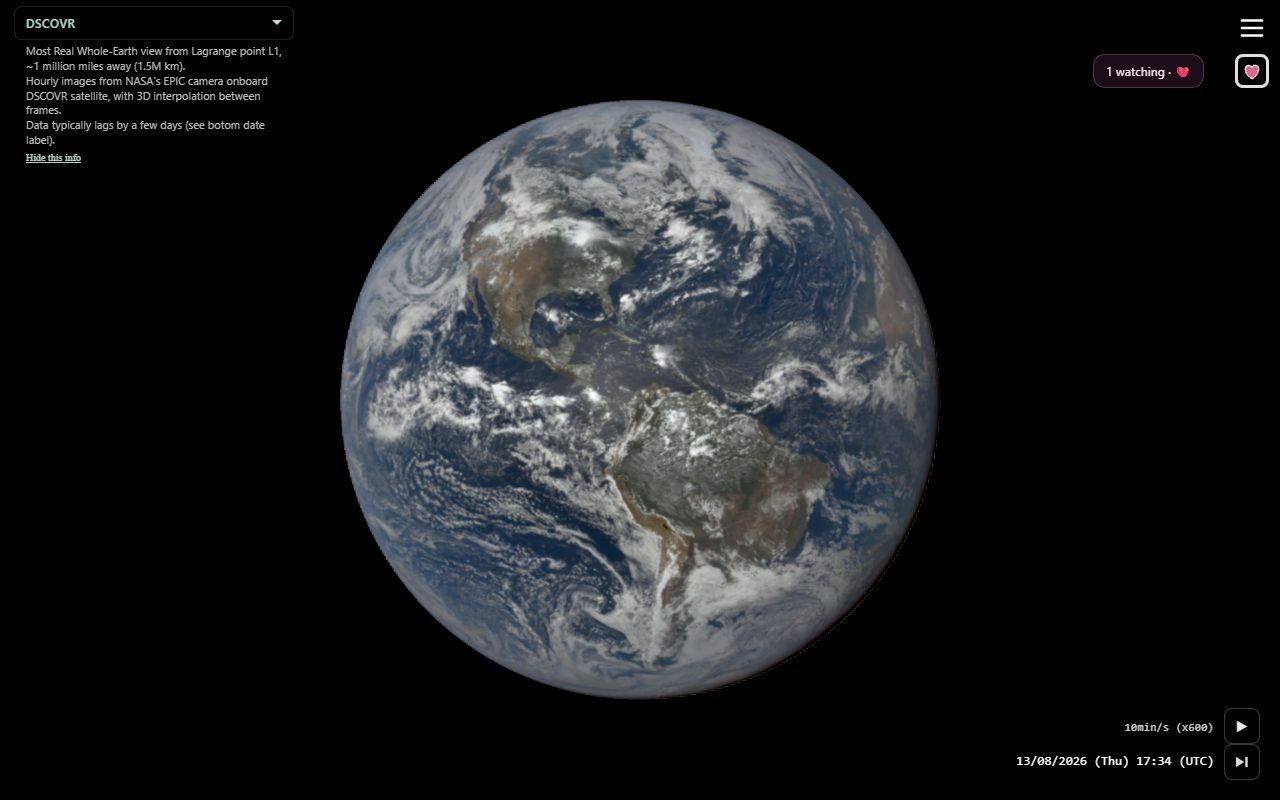
Interactive 3D Earth from NASA’s EPIC camera on DSCOVR (Lagrange point L1). Playback interpolates between hourly frames so clouds and lighting move continuously.
This guide is for people using the app. Menu → Help shows the same globe gestures, plus extra help for whichever extension is on, with links here and to that extension’s guide.
Contents
- Open the app
- What’s on screen
- Globe gestures
- Movie Clip
- Timeline
- Keyboard (desktop)
- Views
- Menu
- Settings
- Extensions
- Share
- Tips
Open the app
Use a modern browser over HTTPS (or http://localhost when running locally). You can install it as a PWA from the browser’s install prompt.
EPIC data usually lags a few days. Until frames load, the globe shows Blue Marble imagery.
With no share / query params, the app opens in DSCOVR view at the latest EPIC day. J2000 and Ecliptic orientation are remembered; DSCOVR spacecraft attitude is not. A share link still opens the linked view, time, and selection.
What’s on screen
| Area | What it does |
|---|---|
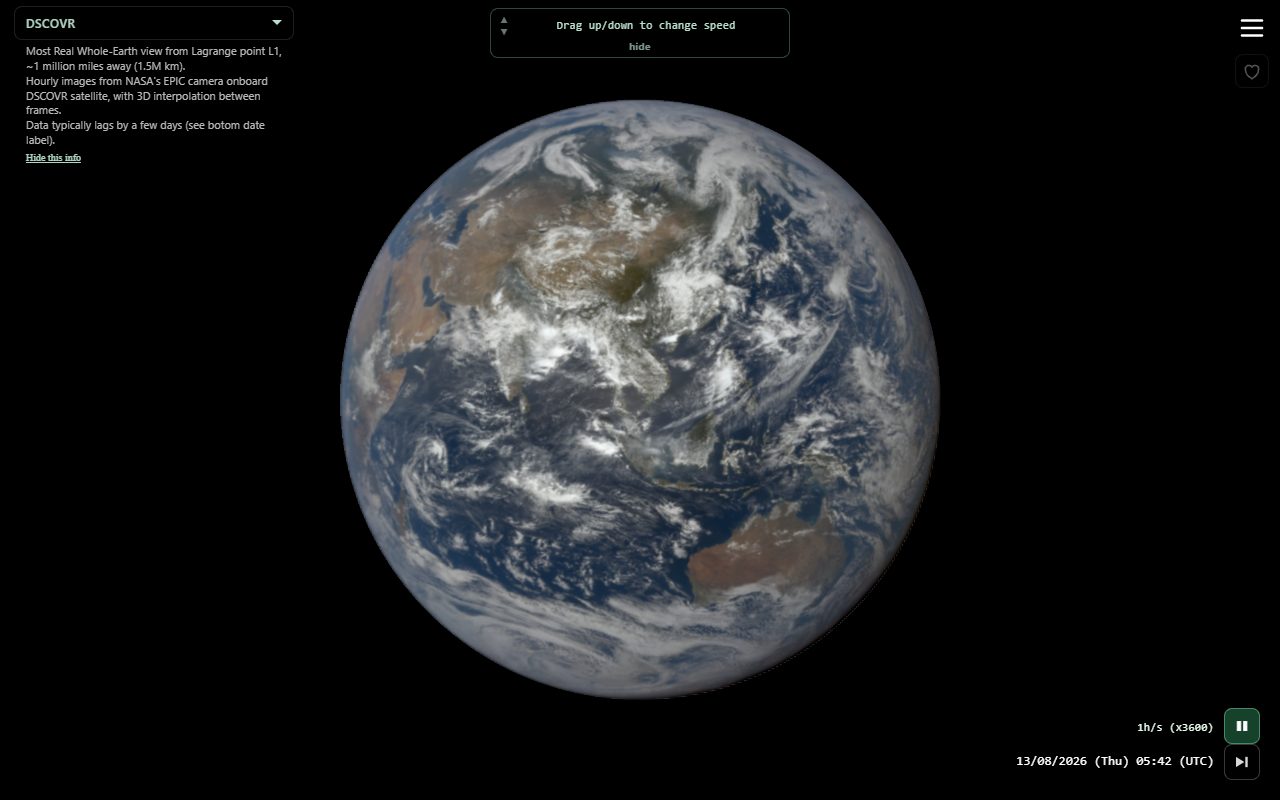
| Globe | Whole-Earth view from the Sun’s line of sight (DSCOVR). Click to play/pause (a brief center icon confirms). |
| Date / time | Current EPIC date, time, and (UTC) / (Local) on one line. Tap it to pick a date. |
| Play button | Above the date, next to the speed. Playback starts on by default, except a restored speed of 1d/s or faster starts paused. |
| Latest | Skip-to-end icon (`-> |
| View info | Captions opposite the menu (DSCOVR, L1, GEO, Moon, zoom). Hide or show from Settings or the caption itself. |
| Zoom label | When zoomed with no event selected, a pale label beside the view menu names the place and coordinates (e.g. Zoomed in France (lat:48.86°, lon:2.35°)). Tap it to zoom out. Event selections use the same slot. |
| Menu / panels | Android Back, iOS edge-swipe back, and desktop Escape close the open menu or panel (Settings, Help, About, Wallpaper, Analemma, extension switcher, …) before they step selection history. |
| Timeline | Bottom strip (portrait) or side strip opposite the menu (landscape). Red arrow = current time. Long-press, then drag to widen/narrow the visible time window. Does not scrub time. |
After 5 seconds with no input, chrome (menu, time bar, timeline, filters, HUD) fades. Move or touch to bring it back. Globe overlays stay. Toggle this in Settings.
Globe gestures
Behavior depends on whether playback is running and whether you are zoomed.
| Gesture | While playing | While paused |
|---|---|---|
| Click | Play / pause | Play / pause |
| Drag up / down | Step playback speed (1s/s … 1mo/s). A toast shows the new rate. At 1d/s and faster this is Analemma mode (same hour, day jumps). 1mo/s is a live speed. | Jump forward or back one day at the same time of day. |
| Drag left / right | Scrub EPIC time (including GEOSTAT). Long-press first to move the centroid. | Same; time scrub snaps on release. |
| Long-press | Unzoomed globe or L1 → GEOSTAT longitude. Elastic on (default): spring back. Elastic off: stay there; Back / Escape returns to DSCOVR or L1. Zoomed → grab-pan. | Same |
| Swipe up | Pause and jump to the latest EPIC day at now. | Latest EPIC day at the current time of day. |
| Swipe down | If Analemma is showing, same as the up-triangle. | Analemma if showing; otherwise jump back one day. |
| Double-click | Pause (no snap). In GEO or L1, return to the EPIC Earth. Unzoomed → zoom at that point. Zoomed on Earth → new pivot (history); zoomed in outer space → zoom out. | Same |
| Pinch / mouse wheel | Zoom in or out | Same |
| Tap the date | Open the date picker | Same |
Speed steps: 1s/s, 1min/s, 5min/s, 10min/s, 20min/s, 30min/s, 1h/s (default), 2h/s, 6h/s, 1d/s, 1w/s, 1mo/s.
Movie Clip
Menu → Movie Clip (under Share) is a super-user feature for now: you must be signed in as the super user. It opens one dialog with one zone at a time:
- Recipe — current date and time (UTC pickers), plus menus for speed, position, orientation (DSCOVR / L1), exclusive extension (None or one), and range (Last / Next / Current cycle, or till the last EPIC image). Each control starts at the live value. The cycle word follows the recipe speed (day, week, month, year). Start bakes in the background. Check Notify me when the movie is ready for an OS banner if you switch away.
- Baking — progress, the date of the last encoded frame, download-so-far, or Cancel. The globe stays usable; hiding the tab does not pause the bake.
- Ready — Download, Share, New (confirm, then back to the recipe), or Drop (confirm, discard the file, and close the dialog). Close and reopen while a file is still in memory and you are on Ready again. Cancel while baking also asks first.
The Movie Clip menu item gets an orange underline while baking and a green one when a clip is ready. Closing or reloading the page drops the bake and the finished file. If this browser cannot encode H.264, Start is disabled. Days NASA skipped keep the last Earth and still step the date stamp. Share attaches that MP4 when it is in memory.
Timeline
The timeline shows your place in the EPIC archive and the width of the visible time window.
| Portrait | Horizontal strip at the bottom; time bar sits above it |
| Landscape | Vertical strip on the side opposite the menu |
| Red arrow | Current time, always centered |
| Labels | Adapt to scope: hours, days, months, or years. When the window sits inside one day or one year, that day/year is shown once near the playhead |
| Blue marks | Individual EPIC frames when spaced; when frames coalesce, same-bin runs become a frequency line (dot-width) with holes. Unfetched EPIC days show as a half-transparent gray band on the track |
| High-cadence bursts | Sustained dense runs (≥2 frames/hour for more than ~3 hours) stay white — spaced frames as dots, overlapping as a selectable line. Hover for a label; click selects the burst (1 h/s play, scoped timeline). Tap the event name above the date to leave |
| Pink day brackets | While Presence is on: UTC days with watchers (emoji grid). Tap → play that day at 1 h/s from 00:00 UTC, without changing zoom. |
Change the time window (scope)
- Long-press the timeline (~half a second).
- Watch the brief ×10 → ÷10 → ×1 pulse — that teaches scope change.
- Drag along the scope axis:
- Portrait: drag right to widen, left to narrow.
- Landscape: drag up to widen, down to narrow.
Range is limited from 24 hours to about 10 years of EPIC data. Your last scope is remembered.
The timeline does not scrub time. Scrub on the globe; play, pause, and the date label work as before.
Cadence / frequency line
When EPIC frames would crowd on the strip, marks coalesce and same-cadence runs become a frequency line on the track (same width as the dots). Cadence is binned to about 10 (dark blue) or 20 (light blue) images/day so neighboring dots merge into plateaus; empty stretches stay as holes. Spaced frames stay as individual dots — only overlapping clusters become line.
Selectable high-cadence bursts (roughly ≥2 frames per hour across more than three hours) stay white, with a larger hit target (~5× the visible radius): spaced frames as white dots; when they overlap, a white selectable line across the burst:
- Hover a white burst for its span label.
- Click to select that interval: clock and scrub clamp to the burst, timeline zooms in, playback runs at 1 h/s for smooth frame interpolation. Click the same burst again, scrub far past it, or tap the caption above the date to leave.
This uses the same playback window machinery as a selected Weather card (controlState.playbackWindow, category epic_cadence) — no Weather extension required.
Keyboard (desktop)
Shown in Help on mouse/trackpad devices.
| Key | Action |
|---|---|
| Escape | Same as Android Back: close the open menu or panel, then step selection history |
| Space | Play or pause |
| ↑ / ↓ | Jump forward or back one day |
| ← / → | Previous or next EPIC frame |
| Shift + drag left / right | GEO tilt: park at the current longitude (does not change the Elastic GEO tilt setting). |
| E | Cycle the last selected extension (panels → overlay only → off). Double-click the corner icon to hide it. |
Views
Use the camera view dropdown, double-click (zoom), or the menu.
| View | What you see |
|---|---|
| DSCOVR | Whole Earth from DSCOVR in a halo orbit around L1 (~1.5 million km). Hourly NASA EPIC frames with interpolation between them. |
| L1 | Exact Sun–Earth L1, on the line of the Sun. DSCOVR is offset around L1, so this recenters the subsolar point. Night side, stars, and Sun are simulated on extra limbs. Share with view=l1. |
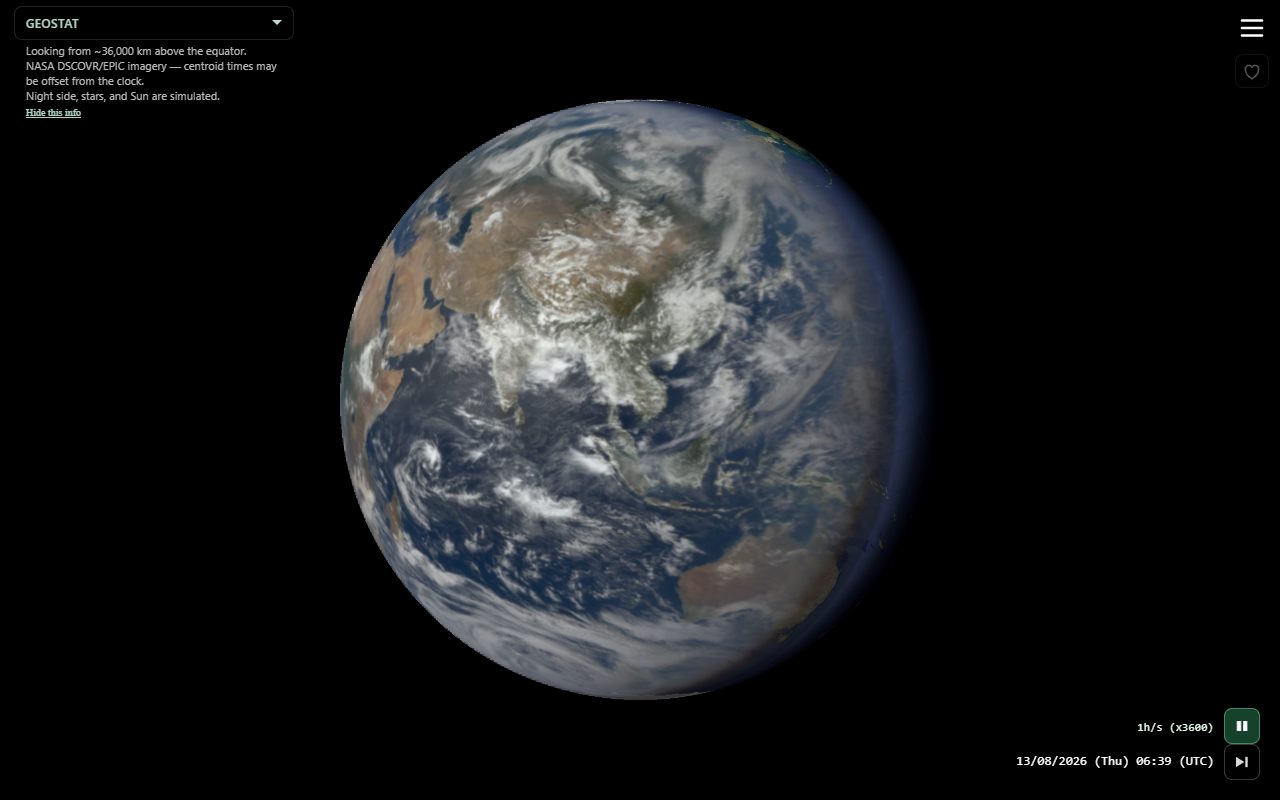
| GEOSTAT (GEO) | Looking from ~36,000 km above the equator. Drag left/right while playing to change longitude (and latitude after a clear horizontal scrub). The view stays at the centroid you chose. Elastic spring-back to EPIC applies again when you switch to another view. Double-click also returns to EPIC. Night side, stars, and Sun are simulated. |
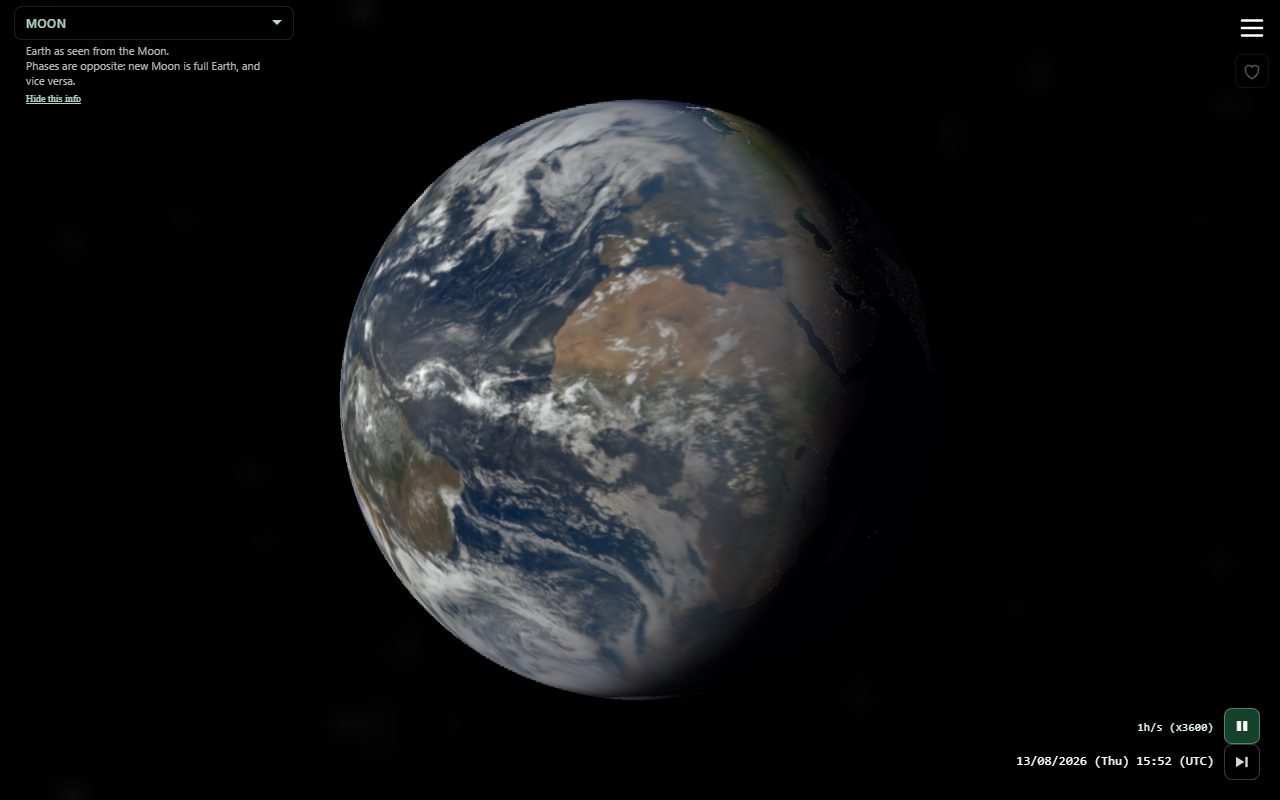
| Moon | Earth as seen from the Moon (Earthrise-style, Moon at the bottom of the frame). Phases are opposite: new Moon is full Earth. Use the camera view selector. |
| Zoom / pivot | Double-click Earth: zoom on that location (again while zoomed to move the pivot; each pivot is on Back/Forth). Double-click outer space while zoomed to leave. The clock shows the country (or sea/ocean) when known, in the pivot timezone. Un-zoom returns the clock to UTC. Drag scrubs time so you see cloud motion at the pivot. |
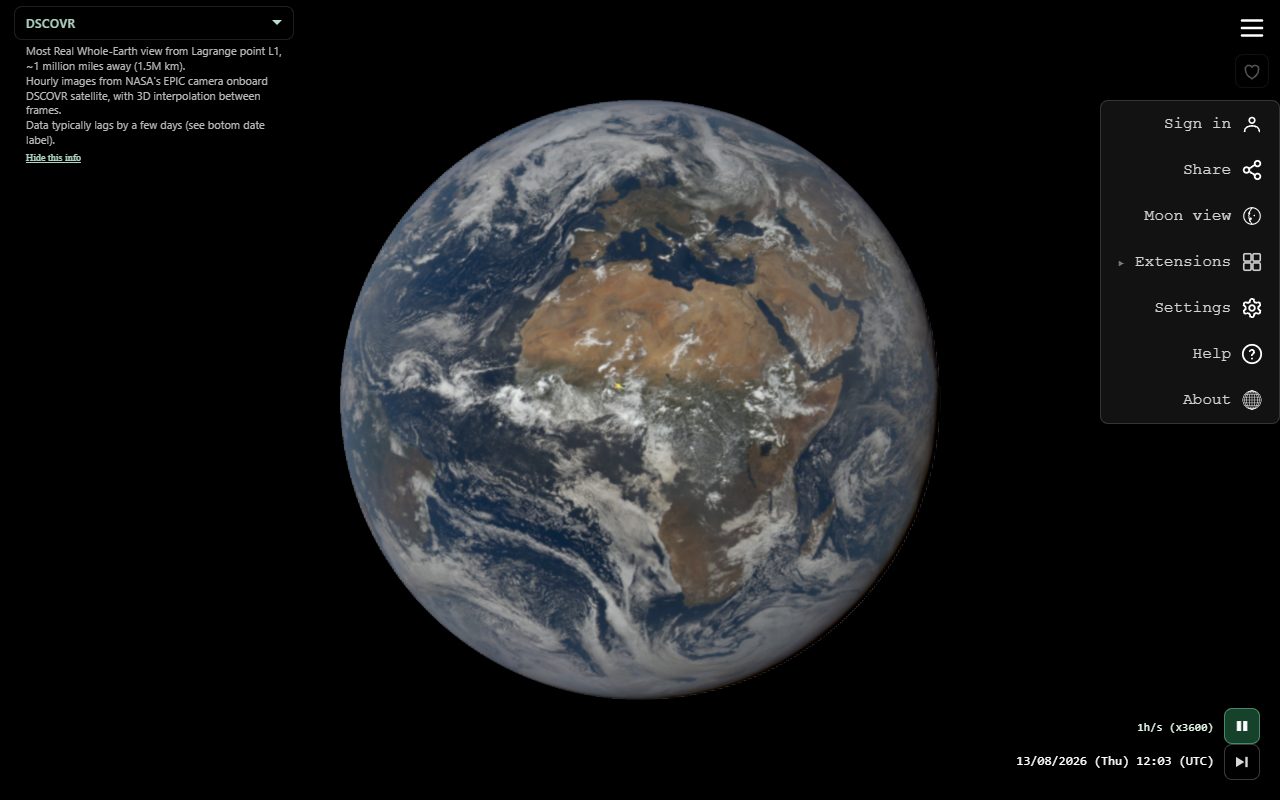
Menu
| Item | Action |
|---|---|
| Sign in / Sign out | Always in the main menu. Google identity (openid). The session is remembered. Skypics asks for Drive later, the first time you publish or open your Drive folder. Presence does not use this account. |
| Share | Share a link to the current time, view, and active extension (plus extra data some extensions add). |
| Extensions | One overlay at a time: Weather, Skypics, or Presence. The corner icon starts as Weather (off). It (and E) cycles panels + overlay → overlay only → off. Double-click the icon to hide it (Share then includes extension=none). Long-press the icon to switch extensions. |
| Settings | Menu side, chrome, extended UI, captions, hints, globe look, EPIC source, image format, speed, cache. |
| Help | Gestures for the globe plus the active extension, and links to the full user guides. |
| About | Version, credits, whitepaper, NASA / Blueturn links, contact. |
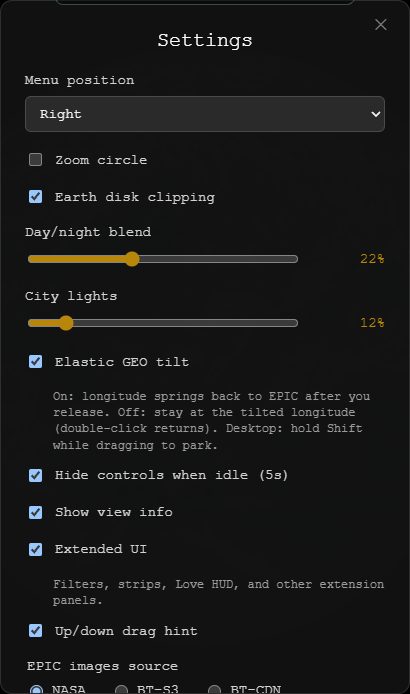
Settings
| Setting | Default | Notes |
|---|---|---|
| Menu position | Right | Left or right corner. Captions sit on the opposite side. |
| Zoom circle | On in the panel | Visual zoom target. |
| Earth disk clipping | On | Clip drawing to the Earth disk. |
| Day/night blend | 22% | Twilight band softness on the globe. |
| City lights | 12% | Night-side city lights brightness. |
| Elastic GEO tilt | On | Long-press GEOSTAT: on springs back when you release; off stays in GEOSTAT (Back / Escape returns to the view you came from). Choosing GEOSTAT in the views menu always parks. Desktop Shift while dragging parks without changing this setting. |
| Hide controls when idle (5s) | On | Menu, time, filters, HUD fade; overlays stay. |
| Show view info | On | DSCOVR / L1 / GEO / Moon captions. Off when opening a shared link. |
| Extended UI | On (desktop) / off (phone) | Extension panels: filters, strips, Presence HUD, Sky Photos camera button. Globe overlays stay. The corner extension button cycles this with on/off. |
| Drag hints | On | Coaching toast: up/down for speed (play) or day jump (pause); left/right for time. Long-press then drag left/right shows centroid longitude. |
| EPIC images source | NASA (proxy) | NASA, NASA (proxy), BT-S3, or BT-CDN. Switching clears the image cache. |
| Paused image format | PNG | JPG or PNG for the closest real frame when paused. Prefetch and analemma stay on JPG. |
| Time speed | 1h/s | Same discrete steps as vertical drag. |
| Clear cache | — | Drop cached EPIC imagery (reload after). |
Your settings stay in this browser. A shared link overrides them so the recipient sees the same moment. Opening a shared link also turns Extended UI and Show view info off so the globe stays the focus.
Extensions
Only one extension is on at a time. Turn them on from Menu → Extensions. In-app Help then adds that extension’s gestures. Double-click the corner extension icon to hide it (same as ?extension=none); Share then keeps extension=none on the link.
Full guides: Weather · Skypics · Presence
Weather
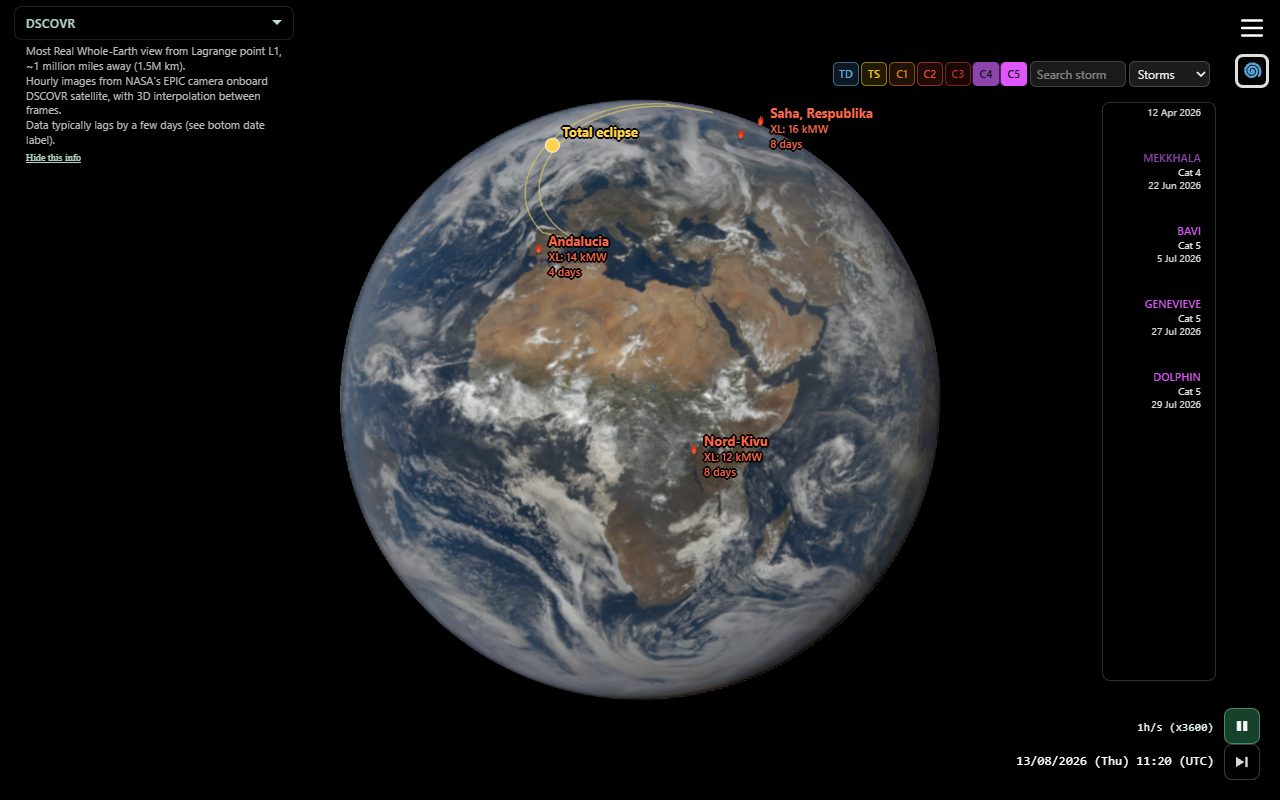
Storms (IBTrACS + recent ATCF tips; European extratropical via Copernicus EWS / curated EUMETNET names; North American extra-tropical via ERA5 ETC, including nor'easters), solar eclipses (NASA paths + umbra), and smoke (NOAA HMS Heavy + CAMS NRT organic-matter AOD worldwide, with FIRMS megafire enrichment). Globe gestures still work on Earth.
Storms, eclipses, and smoke plumes can be opened from the globe even when Weather is off or Presence / Skypics is on — click selects the event and zooms without turning Weather on (no filter/chips/strip). The storm stays on the globe and timeline while Weather remains off. Wildfires only appear while Weather is on (flames always; name labels on hover or when selected). Desktop hover shows a short label on pickable targets.
High-cadence EPIC bursts are no longer a Weather category. Use the white marks on the EPIC strip to find and select bursts (see Timeline → Cadence / frequency line).
Selecting a card (or a globe pick) zoom-pivots when the event has a location, keeps the clock in UTC, and shows Analemma for multi-day events (eclipses play at ~1 min/s instead). A selected named storm, solar eclipse, smoke plume, or wildfire may also show a short Wikipedia summary under the globe name (year+place season pages for smoke/fire). Other storms, eclipses, smoke plumes, and wildfires are hidden on the globe and timeline while an event is selected, but stay hover/click pickable on the globe. Intensity chips are all on when Weather is turned on and filter both the globe overlays and the timeline; events whose chip is off are hidden but still hover/click pickable. The filter bar shows only while Weather is on and no event is selected (unselect with Back / Escape to get it back). It sits beside the extension toggle: category / search / None·All on one row, chips underneath (swipe on a narrow phone). Search shows matching cards; click a card to select it and jump to the storm’s peak date (or the eclipse). Back / Forth (beside the menu) steps any prior selection — storms, eclipses, smoke, wildfires, cadence bursts, sky photos — or returns to unselected. Android Back and desktop Escape do the same. Turning Weather off from the menu keeps the current selection (overlay + timeline) and zoom pivot.
| Control | Action |
|---|---|
| Click storm / eclipse / smoke on globe | Desktop: select in one click. Mobile: first tap shows label; second tap on same target selects. Works even when Weather is off. |
| Selected storm track | After select, only the track is pickable (not the live eye or name). Desktop: hover a control point for that fix’s UTC date and intensity; click or drag along the path jumps to the closest EPIC day at the current time of day. Mobile: first tap previews the chip; second tap on the same point jumps. Fixes after the latest EPIC image still show the chip but cannot jump. |
| Click wildfire | Same, but only while Weather is on. |
| Event type | Storms / Eclipses / Smoke |
| None / All | Clear chips, or turn them all on, across every category. |
| Weather databases | Settings: IBTrACS / EWS / ETC ERA5 / eclipses / HMS / CAMS / FIRMS — show or hide each catalog. |
| Intensity chips | Storms: ET · C5…TD. Eclipses: Tot / Ann / Hyb / Par. Smoke: Heavy smoke + Giga / Mega fire All on when Weather is turned on; they filter globe and timeline. |
| Search | Filter events by name and show matching cards. Click a card to select it and jump to the storm’s peak (or the eclipse). Typing search temporarily disables the chips. |
| Wikipedia | A selected named storm, solar eclipse, smoke plume, or wildfire may show a short summary under the globe name. The Wikipedia link opens the article. |
| Back / Forth | Exterior end of the top row opposite the hamburger (←/→ → view menu → selection). Session history across weather, cadence, sky photos, camera views, and zoom in/out. Back from the first entry returns to unselected; with an empty stack, Android Back leaves the app. Opening a share link that is not unzoomed DSCOVR puts that landing on Back (DSCOVR / J2000 when the link restored spacecraft attitude; J2000 and ecliptic stay). Desktop Escape matches Back but does not leave the page. Long-press ← or → opens a dropdown of that direction’s history (closest on top; same labels as the selection text); tap an item to jump. |
Skypics
Photos of the sky from the ground, on Earth and in a day strip. Playback pauses while this extension is on.
Sign in (main menu) identifies you. The first time you publish or open Drive folder (under Skypics in Extensions), Google asks for Drive so the files stay in your Drive.
| Control | Action |
|---|---|
| Drag strip | Scroll photos horizontally. |
| Click card | Jump to that photo’s time. |
| Click thumb | Open the photo popup on the globe. |
| Camera | Corner camera button under the extension toggle. Takes a photo (Drive on first publish). |
| Drive folder | Open your Skypics folder in Google Drive. |
Presence
Send an emoji arc from one place on Earth to another. Location is optional. Presence uses anonymous presence, not the Google Sign in row.
- With GPS: you appear as an eye on Earth. Tap it to pick an emoji; drag from the eye to a visible point and release to send.
- Without GPS: drag from the corner eye under the Presence toggle (direction into the globe). Tap the eye to pick an emoji.
- Aiming pauses playback; sending resumes it. While Presence is on, playback runs at 10 min/s and does not snap to EPIC frames. Each send is tied to the current EPIC time — share a link so friends meet you on the same moment.
- You see people who are online now (plus your own sends). The HUD shows how many are watching.
- Share while Presence is on creates a meet session so joiners highlight each other’s eyes.
- Your watching day (UTC day of the EPIC clock) is written with presence; while Presence is on, pink day brackets on the timeline show who is watching where.
- Turning Presence off (or leaving the page) clears your presence and cloud sends.
Share
Share sends a link with the current day, time, view, speed, and active extension, plus a file when the browser allows it: the Movie Clip MP4 when one is ready, otherwise a screenshot of the globe. Download and Share are also on the Movie Clip Ready zone. If you hid the extension icon (double-click, or opened with ?extension=none), the link includes extension=none. Recipients open the same moment on Earth. A parked GEO tilt includes view=geo:lat,lon. Elastic GEO tilt is a personal setting (not in the share link). L1 uses view=l1. A shared (deep) link turns off Extended UI and view info so they land on the globe, not the extra panels.
Tips
- Open Help while you learn gestures — it updates when you turn an extension on.
- Latest is the fast way back to “now” on the newest available EPIC day. It also leaves a selected weather event or cadence burst.
- Vertical drag while playing is the fastest way to change speed; the rate also lives next to play and in Settings.
- Some EPIC days are missing frames; the app interpolates and may show Blue Marble until NASA data arrives.
- True Color (the aperture button under the menu, also in Settings) is on by default: you only see real NASA EPIC photographs of the Earth. Time stays within EPIC coverage, missing days are jumped over, and playback stops on the latest EPIC image. Turn it off to go past the latest image and over gaps on Blue Marble with satellite clouds, up to the real now.
- With True Color off, past the latest EPIC image, Blue Marble gets satellite clouds: the live map at the real now (Latest twice), and the 3-hourly map nearest the shown time before that (e.g. a sky photo taken there). Cloud maps: Live Cloud Maps by Matt Eason (contains modified EUMETSAT data), with past frames from joshuabinswanger's archive.
- Contact: info@projector.earth